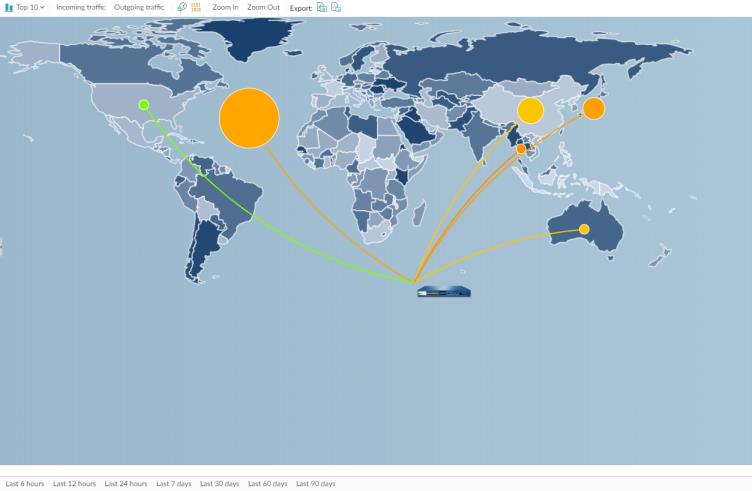
App Scope Threat Map Report The Threat Map report shows a geographical view of threats, including severity. App Scope Threat Map Report Each threat type is color-coded as indicated in the legend below the chart. Click a country on the map to Zoom In and then Zoom Out as needed. This report contains the following options. Threat Map Report Options Description Top Bar Top 10 Determines the number of records with the highest measurement included in the chart. Incoming threats Displays incoming threats. Outgoing threats Displays outgoing threats. Filter Applies a filter to display only the selected item. Zoom In and Zoom Out Zoom in and zoom out of the map. Export Exports the graph as a .png image or as a PDF. Bottom Bar Indicates the period over which the measurements are taken. Parent topic Monitor > App Scope
